
Profile and settings
Goal
Set your name and a contact, choose how the dashboard shows numbers, and change your password when you need to.
Before you start
- Your current password, if you want to change it.
Steps
Profile and view
At the bottom of the left menu, click Settings. The Common settings tab opens.
In the Full name or organization name field, enter your name or company name. In the Telegram or Teams field, enter a contact where you can be reached. Each field takes up to 128 characters.
In the View block, select:
- Language: the interface language. After you change it, the page reloads.
- Number format: the thousands and decimal separators.
- Timezone: for dates in the dashboard.
- Currency in statistics: the currency for revenue in the publisher list, reports and the overview.
- Theme and Compact tables: these apply immediately.
Click Save.
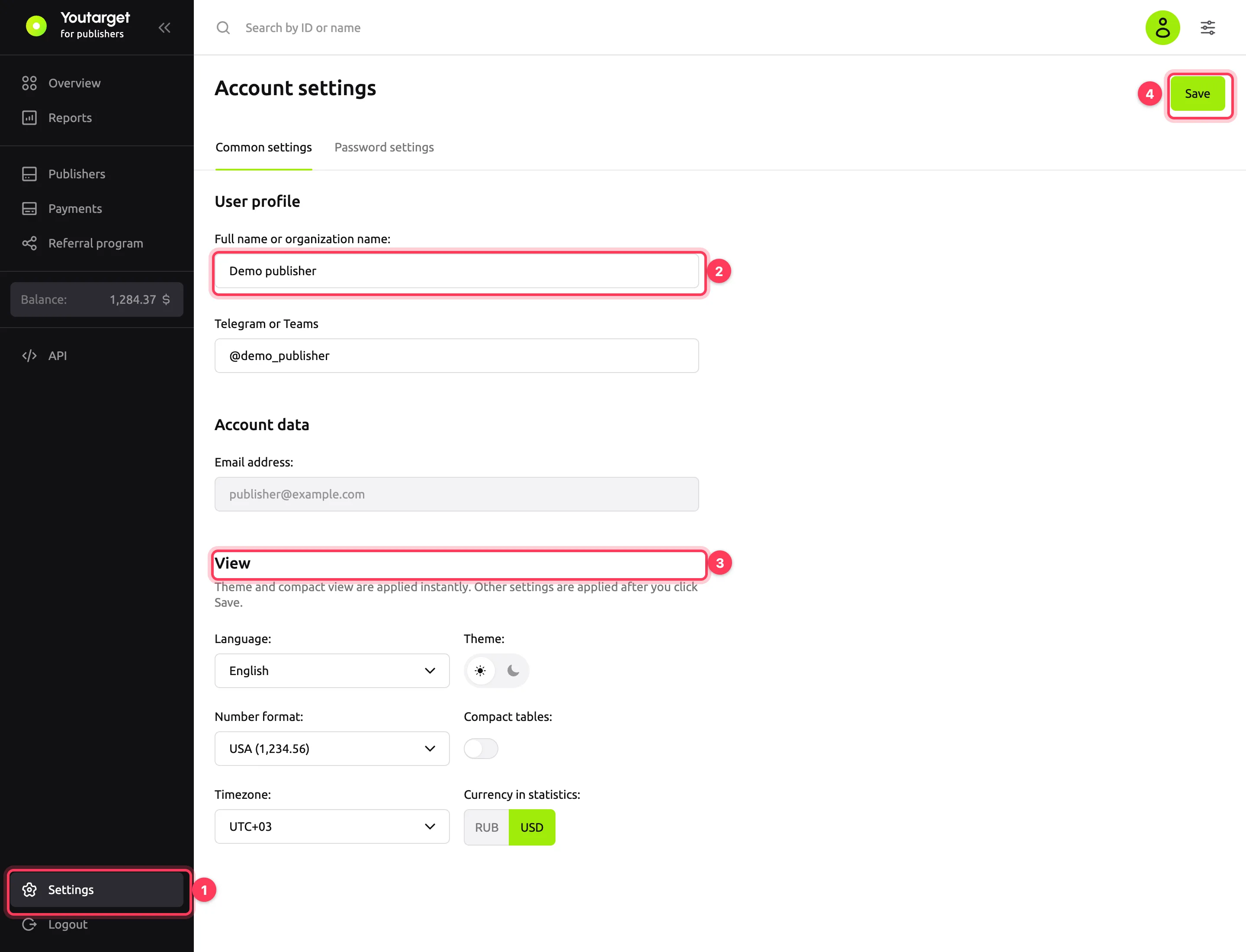
The Account data block shows the email you use to sign in. You cannot change it in the dashboard: contact your account manager.
Change your password
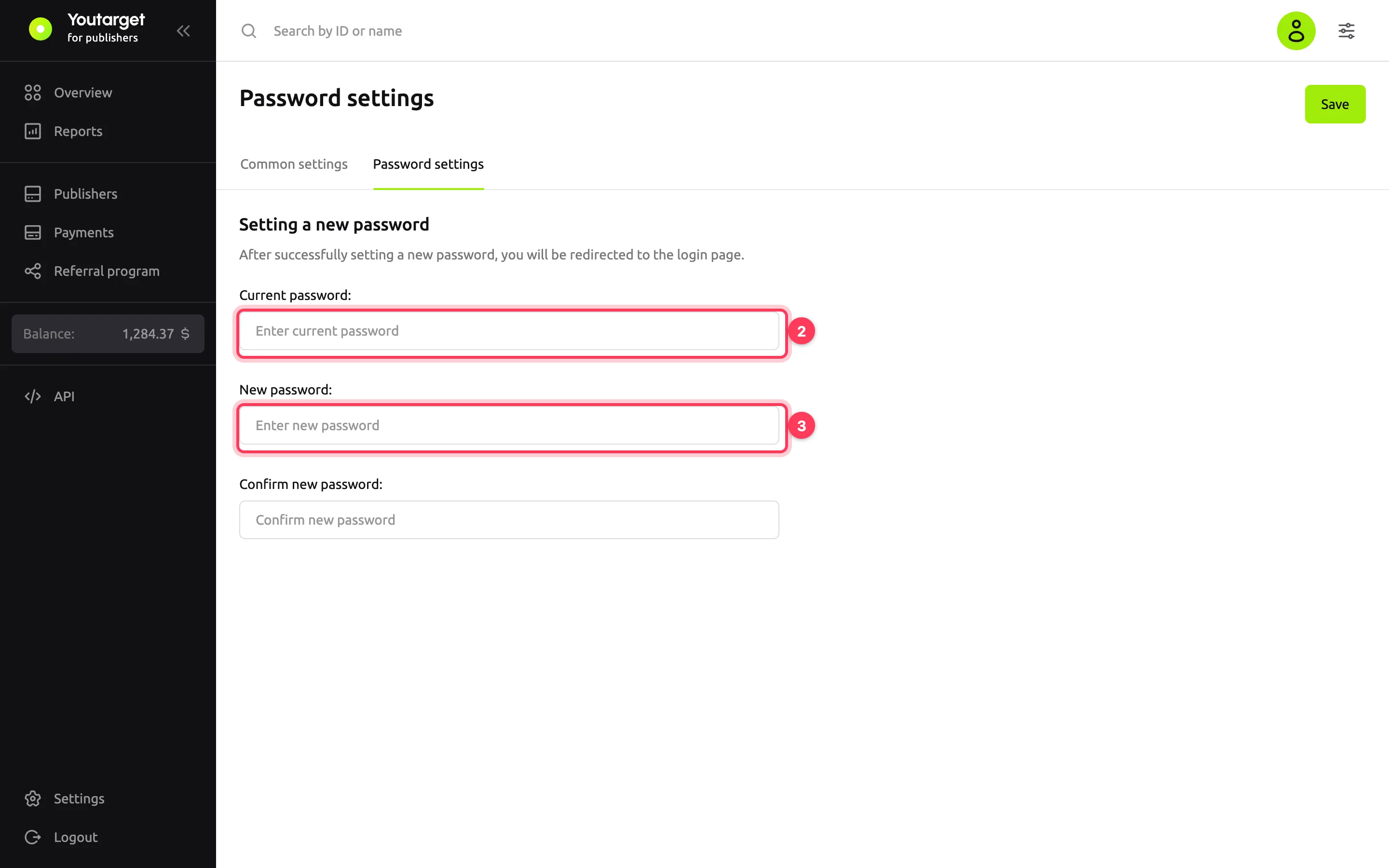
In Settings, go to the Password settings tab.
Enter the Current password.
Enter the New password and Confirm new password. The requirements are the same as at sign-up: see Password requirements. The new password must differ from the current one.
Click Save.
Result
After you save the profile, the message "Changes successfully saved" appears.
After you change the password, the dashboard opens the sign-in page. Sign in with the new password.
Troubleshooting
| Symptom | Cause | Fix |
|---|---|---|
| "Passwords do not match" | The new password and the confirmation differ | Enter the same new password in both fields |
| "Incorrect current password" | The current password has a typo | Check the keyboard layout and Caps Lock. If you do not remember the password, sign out and recover it on the sign-in page |
| "The new password must be different from the current one" | The new password matches the current one | Choose another password |
| A message in Russian: "Будьте внимательны: в пароле нельзя использовать кириллицу". It means Cyrillic letters are not allowed | The password was typed with a Cyrillic keyboard layout | Switch the layout and enter the password again |