
Direct link
A direct link is an address that takes the visitor to the advertiser's page. You do not need to add scripts to your site.
Put the link on a button or text ("Download", "Watch"), in a menu or a newsletter, or use it as the destination for your own traffic. Each click on the link is an ad request: the auction picks the best bid and redirects the visitor to the advertiser.
Embed code
The code is a link like this:
https://click.example.com/direct?id=3f9c2b7e5d1a4c6e8b0f2a9d7c5e3b1a&zone_id=10542An example with a button on a page:
<a href="https://click.example.com/direct?id=3f9c2b7e5d1a4c6e8b0f2a9d7c5e3b1a&zone_id=10542" target="_blank" rel="noopener">Download</a>Copy the link from the dashboard: the example uses a made-up address.
Split traffic by source
You can replace the zone_id parameter in the link with your own value, for example the name of a source or a page. Then Reports show the revenue of each source separately: use the Zone ID grouping and filter.
https://click.example.com/direct?id=3f9c2b7e5d1a4c6e8b0f2a9d7c5e3b1a&zone_id=menu
https://click.example.com/direct?id=3f9c2b7e5d1a4c6e8b0f2a9d7c5e3b1a&zone_id=newsletter
Do not change the id parameter: the dashboard uses it to identify the publisher. For zone_id, use Latin letters, digits, hyphens and underscores.
Settings
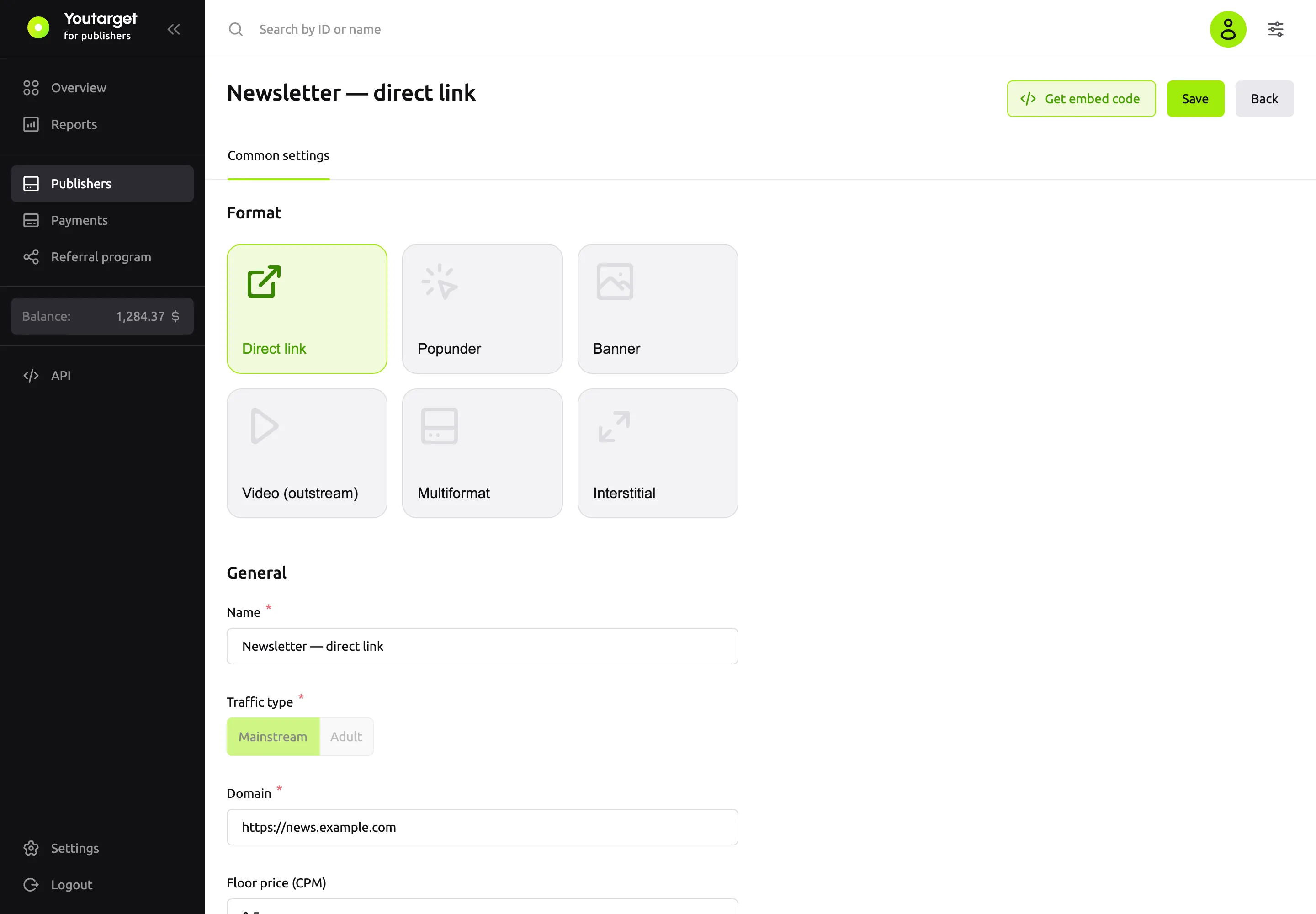
A direct link has no Format settings group, only the common publisher fields.
| Field | What it does |
|---|---|
| Floor price (CPM) | The minimum price per 1,000 clicks in US dollars. Lower bids do not win |
| Traffic-back URL | Where to redirect the visitor if there is no suitable ad. If the field is empty, the redirect does not happen |
TIP
Enter your own page or another ad network in Traffic-back URL so you do not lose visitors for whom no ad was found.
Which ads are shown
The direct link shows Pop campaigns: the visitor goes straight to the advertiser's page.