
Interstitial
An interstitial shows a banner over the page, with a dimmed background and a close button. By default, it appears after the visitor's first action rather than right on page load, and no more than once a day.
Embed code
Paste the code once per page, for example before the closing </body> tag. You do not need a <div> block: the banner appears over the page.
<script>
!function(w,d,s,o,f,js,fjs){w[o]=w[o]||function(){(w[o].q=w[o].q||[]).push(arguments)};w[o].q=w[o].q||[];js=d.createElement(s);fjs=d.getElementsByTagName(s)[0];js.async=1;js.src=f;fjs.parentNode.insertBefore(js,fjs)}(window,document,'script','ytrgt','https://cdn.example.com/runtime.js');
ytrgt('hb:load', '#ytrgt-3f9c2b7e5d1a4c6e8b0f2a9d7c5e3b1a', {"endpoint": "https://hb.example.com/hb", "publisherId": "3f9c2b7e5d1a4c6e8b0f2a9d7c5e3b1a", "sizes": [[300, 600]], "tmax": 1000, "showAdMark": true, "format": "interstitial", "interstitial": {"trigger": "interaction", "closeDelay": 0, "frequency": {"max": 1, "windowSec": 86400}, "backdrop": true}});
</script>
After you change the settings, copy the code again.
Settings
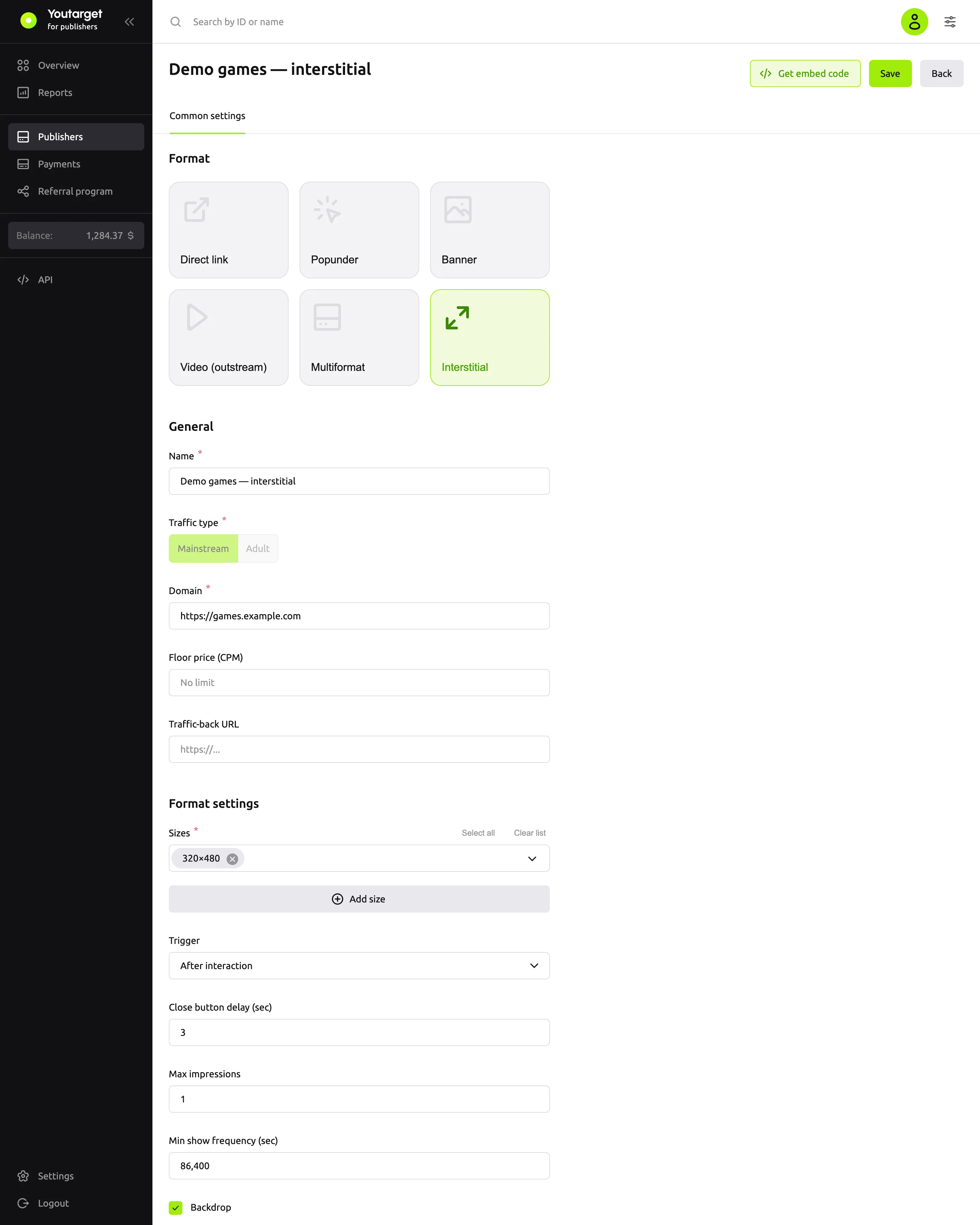
| Field | Default | What it does |
|---|---|---|
| Sizes | 300×600 | Banner sizes: 300×600, 320×480 or your own |
| Trigger | After interaction | When the banner appears: After interaction, Show immediately or Manual (via code). See below |
| Close button delay (sec) | 0 | After how many seconds the close button becomes active: from 0 to 15 |
| Max impressions | 1 | How many times to show the interstitial to one visitor within the period from the next field. 0 means no limit |
| Min show frequency (sec) | 86400 | The period for the impression limit, in seconds. 86400 is one day |
| Backdrop | on | Dims the page under the banner |
| Overlay z-index | Auto | The z-index of the banner layer. Change it if the banner ends up under site elements |
| Auction timeout (sec) | 1 | How long to wait for bids: from 0.1 to 3 seconds |
| Show "Ad" label | on | The "Ad" label and advertiser details |
| No-fill fallback | off | If there is no ad, shows your HTML from the Passback HTML field. You cannot collapse the block here: there is no block on the page |
| Floor price (CPM) | empty | The minimum price per 1,000 impressions in US dollars |
Overlay z-index and Auction timeout (sec) are in the Advanced settings group at the bottom of the form.
The impression counter is stored in the visitor's browser.
Trigger
| Value | What happens |
|---|---|
| After interaction | The banner appears after the visitor's first action on the page |
| Show immediately | The banner appears as soon as the page loads. If the page was opened in a background tab, it appears when the visitor switches to it |
| Manual (via code) | The banner loads in advance and appears when you call the show command |
For manual display, call the command at the right moment, for example when the visitor moves to the next article. Instead of #ytrgt-…, use the value from your code:
ytrgt('hb:show', '#ytrgt-3f9c2b7e5d1a4c6e8b0f2a9d7c5e3b1a');Only one interstitial is shown on a page at a time.
Events
Besides the banner events (hb:win, hb:rendered, hb:nobid, hb:error, see Banner), the interstitial has its own:
| Event | When |
|---|---|
hb:shown | The banner appeared on the screen |
hb:closed | The visitor closed the banner with the button or the Esc key |
hb:blocked | The banner was not shown: reason = frequency means the impression limit is reached |
Which ads are shown
Banner campaigns with suitable sizes. Video is not shown in the interstitial.
Next steps
- Show ads in a block on the page: see Banner.
- No impressions or revenue