
Publishers: list and statuses
The Publishers section holds all publishers of your account. One publisher is one ad placement on your site with its own format and embed code.
Statuses
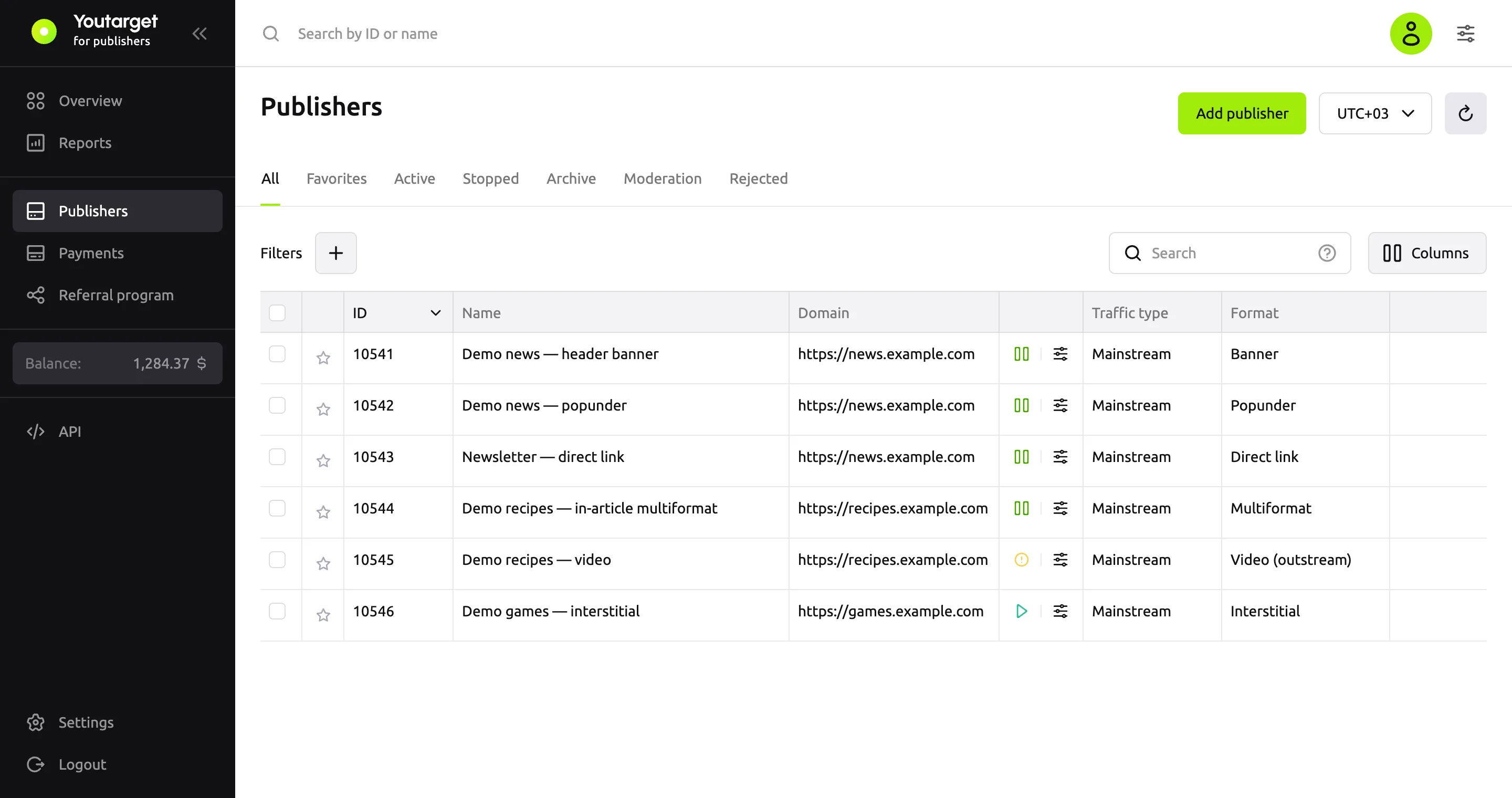
| Status | What it means |
|---|---|
| Moderation | The publisher is under review: the site must meet the moderation rules. A publisher has this status right after you add it |
| Active | The publisher passed the review, and ads are shown |
| Rejected | The publisher did not pass the review. Ask your manager for the reason |
| Stopped | Impressions are stopped. To resume them, contact your manager |
| Archived | The publisher is no longer used |
The tabs above the list filter publishers by status. The Favorites tab shows the publishers marked with a star.
Columns
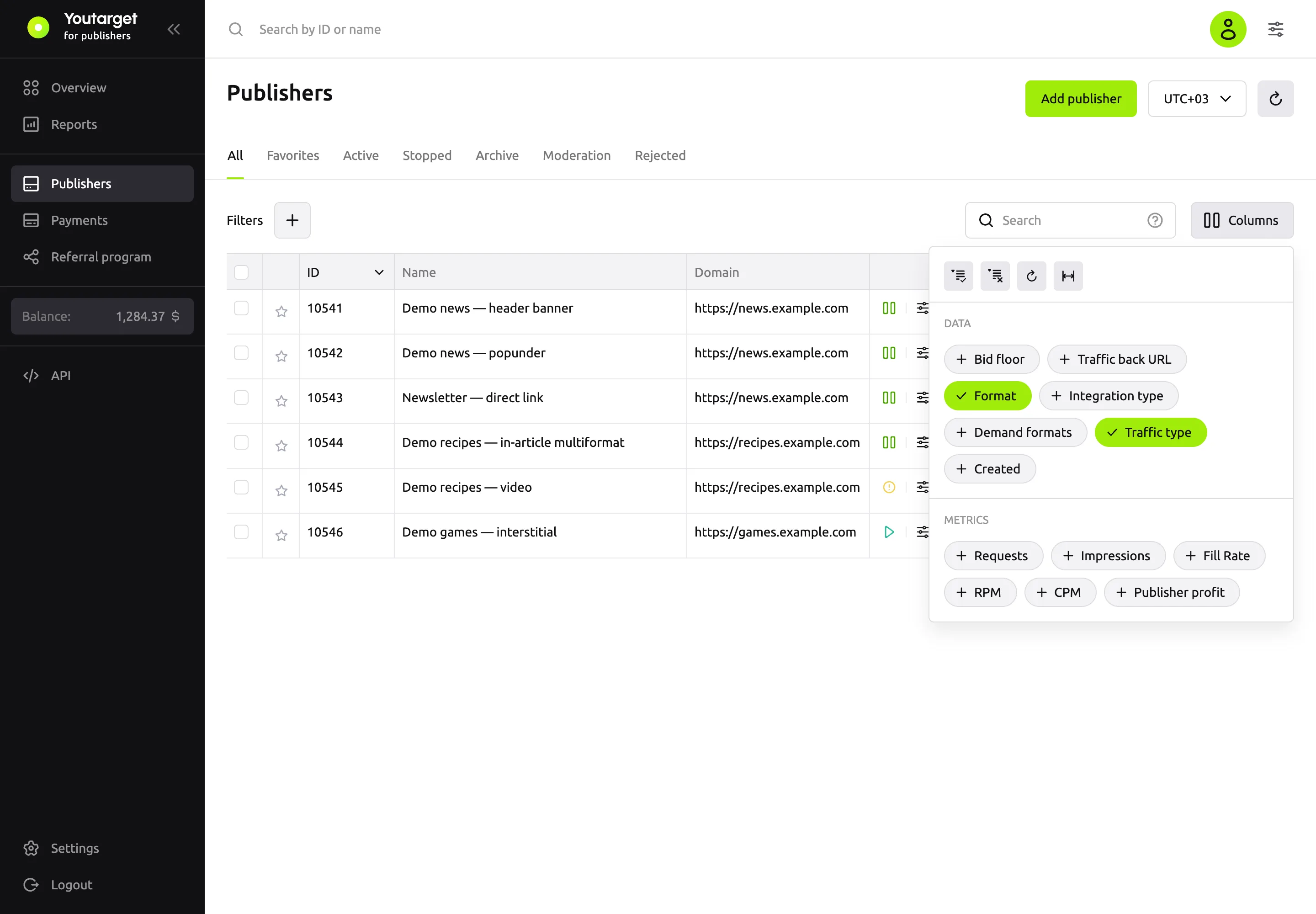
To change the set of columns, use the Columns button. By default, the list shows the main publisher data, and statistics are hidden: turn on the metrics you need in the Metrics group.
| Column | What it shows |
|---|---|
| ID | The publisher number. Your manager asks for it, and you can search for it in reports |
| Name | The name from the publisher settings |
| Format | The ad placement format: direct link, popunder, banner, video, multiformat, interstitial |
| Traffic type | Mainstream or Adult |
| Domain | The publisher's site |
| Bid floor | The floor price, CPM in US dollars |
| Traffic back URL | Where visitors go if there is no ad for them |
| Integration type | Direct code: a publisher with an embed code from the dashboard. Programmatic: a connection by protocol that your manager sets up |
| Demand formats | Which ad formats are bought on the publisher: Pop, Banner, Video |
| Created | The date you added the publisher |
| Status | The publisher status |
| Requests, Impressions, Fill Rate, RPM, CPM, Publisher profit | Statistics for the last 7 days, including today, in the time zone from the list next to the Add publisher button. The Metrics page explains each metric. A dash means the metric cannot be calculated because there was no traffic in the period |
Search and filters
- Search looks for a publisher ID or part of a name.
- The Filters button filters publishers by traffic type, integration type, format and demand format.
Publisher actions
The menu on the right of the publisher row:
| Item | What it does |
|---|---|
| Edit | Opens the publisher settings. You cannot change the format and traffic type after you save |
| Get code | Shows the embed code |
| Report | Opens a report on this publisher |
After you change the settings of a popunder, banner, video, multiformat or interstitial, copy the code again and replace it on your site: the settings are written into the code itself.