
Campaign and creative statuses
A campaign has two indicators. The status shows whether you turned it on. The dot next to the name shows whether impressions are running right now. A campaign with the Active status may not be serving if the system has paused it.
Campaign statuses
You see the campaign status by the icon in the row. The Campaigns list has the All, Favorites, Active, Stopped, Rejected and Archive tabs. In creative lists, the campaign status is spelled out in the campaign column.
| Status | What it means | What to do |
|---|---|---|
| Active | The campaign is on. A new campaign gets this status right away | Check the "delivering" dot: a campaign that is on does not necessarily have impressions |
| Stopped | You or the Stop campaign automation rule stopped the campaign | Start it with the ▶ button in the row or via Actions → Start |
| Archived | The campaign is archived and does not serve | From the archive, you can only move the campaign to Stopped, then start it. For how, see below |
| Rejected | The campaign failed the quality check | You cannot change this status manually. The dashboard removes it when the campaign passes a re-check. If the rejection reason is unclear, contact your manager |
NOTE
The number of campaigns per account is limited. All campaigns count except archived ones. If you see "Active campaign limit exceeded for user (…)" when you create, copy or restore a campaign from the archive, archive campaigns you do not need or ask your manager to raise the limit.
Archive
- Archive a campaign. In the campaign row, open the ⋮ menu → Archive. To archive several campaigns, select them and choose Actions → Archive.
- Restore from the archive. On the Archive tab, select the campaigns and choose Actions → Stop. The campaigns move to Stopped. Then start them.
For more about working with the list, see Manage the campaign list.
The "delivering" dot
Next to the campaign name in the list, there is a dot:
- green: "The campaign is running and delivering";
- gray: no impressions right now, because the campaign is stopped or the system has paused it.
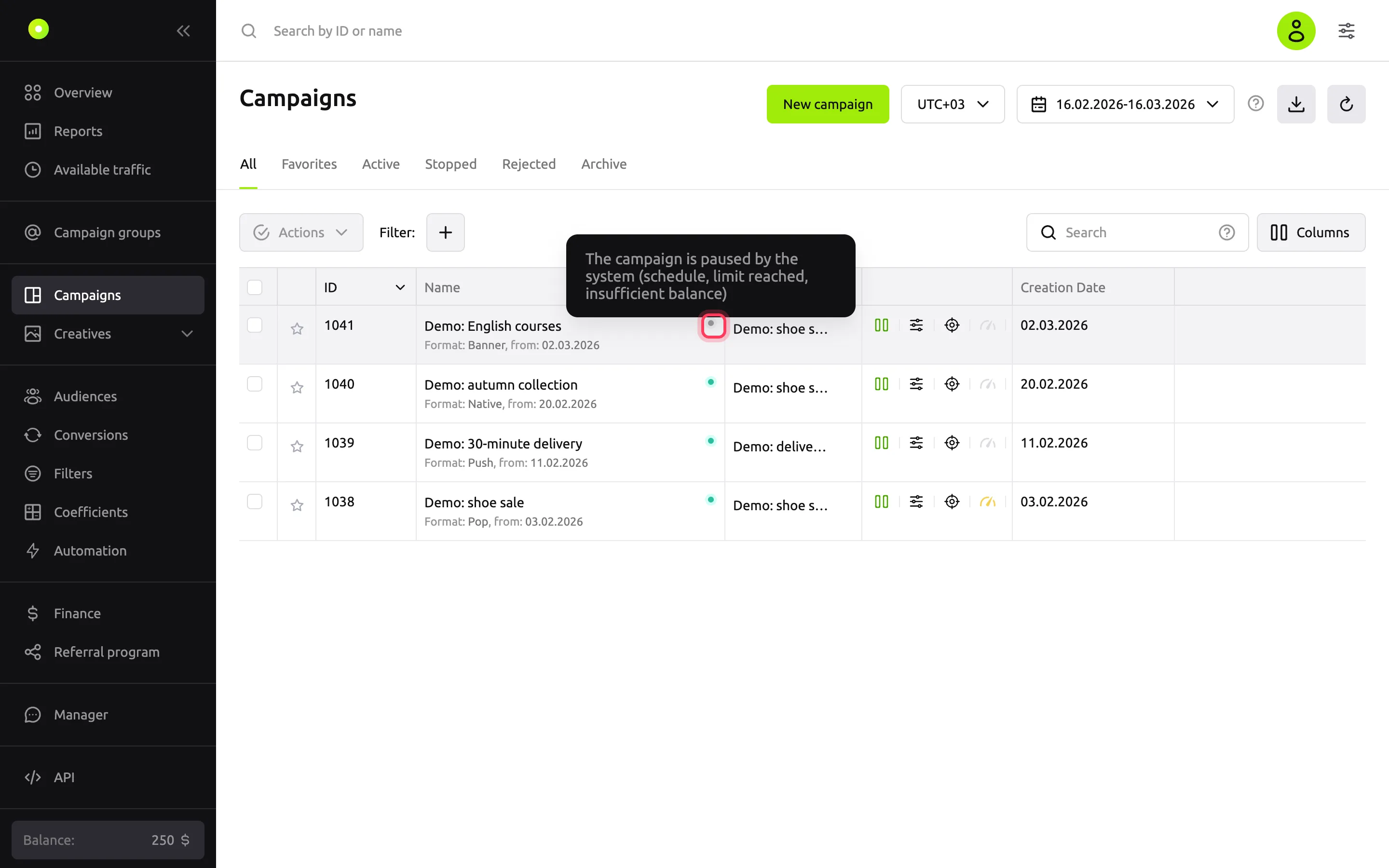
Once a minute, the system checks each active campaign in order and pauses it at the first condition that is not met:
- Balance is more than $10, €10 or RUB 1,000, depending on the account currency.
- Launch period. If both dates are set on the Limits tab, the current time must be within this period.
- Live targeting. If the campaign has an event with Include, the hours set before, during and after the event must be running now. If such hours are running for an event with Exclude, the campaign is paused.
- Scheduler. If it is on, the current day of the week and hour must be selected in the grid.
When the condition is met again, the campaign turns back on by itself within a minute. For the same reason, the dot stays gray for up to a minute after you create or start a campaign: the next check turns the campaign on.
IMPORTANT
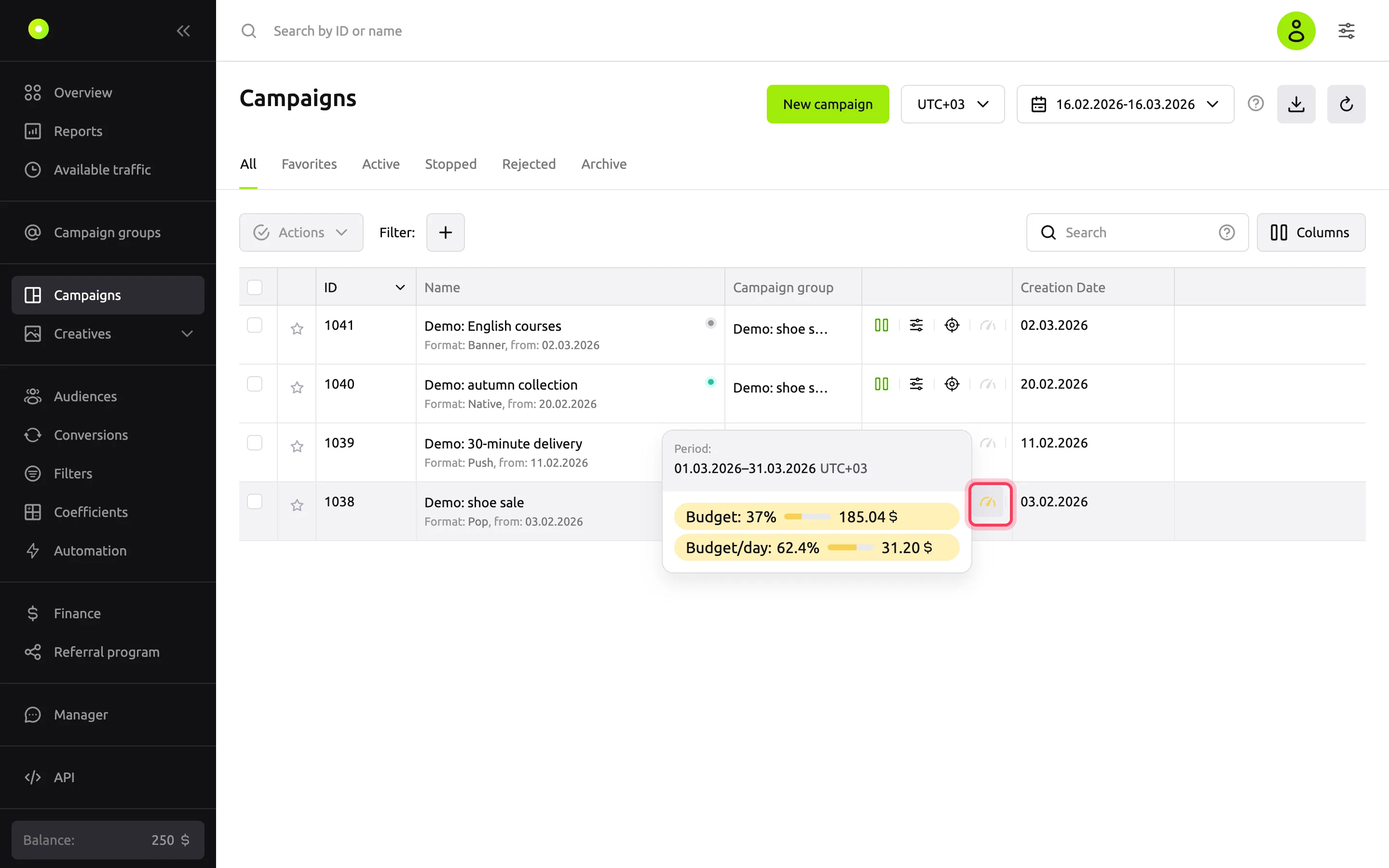
An exhausted budget, click or impression limit does not turn the dot gray: it stays green, but there are no impressions. The speedometer icon in the campaign row shows spend against limits.
Creative statuses
You see the creative status by the icon in the row and by the list tab it is on.
| Tab | What it means | What to do |
|---|---|---|
| Moderation | The creative is being reviewed. A new creative and a creative after an edit go here | Wait for the review |
| Active | The creative passed moderation and is serving | — |
| Inactive | You or the Turn off creative automation rule turned the creative off. A creative also goes here after moderation if Automatically start ads after moderation is not selected in the campaign | Start it with the ▶ button in the row |
| Rejected | The creative failed moderation. The reason is shown in the creative row and at the top of its form | Fix the creative according to the rejection reason and save it: it goes back to moderation |
You cannot start or stop a creative that is in moderation or rejected: you see "Invalid status change for creatives with id …". Wait for moderation or fix the creative.
A moderator can also reject a creative that is already serving or stopped. The creative then moves to the Rejected tab.
When a creative goes back to moderation
- It goes back if you change the name, text, image, video or other creative content, or the Matches URL in advertising campaign settings checkbox (Matches URL in campaign settings for banners and video).
- It goes back if you change anything in the link after the domain: path, parameters, anchor,
httptohttps. The same applies to such an edit of the campaign's Target URL for creatives that take their link from the campaign. - It goes back without your edits if the automatic quality check of the creative requires it.
- It does not go back if you change only the price or only the domain in the link.
For details, see Creative moderation.
WARNING
After re-moderation, a creative becomes active only if Automatically start ads after moderation is selected in the campaign. Without this checkbox, a creative that was running before the edit comes back stopped, and you have to start it manually.
Related pages
- No impressions: a step-by-step check.
- Limit budget and impression frequency.
- Manage the campaign list.
- Campaign settings.